Player
Student, faculty, staff or alumni
- Goal
- Get a slot and play, without chasing anyone.
- Worry
- Not knowing the rules, or losing a slot to a team that didn’t turn up.
- Design response
- Rules shown up front, a four-step mobile flow and a QR pass.
Case study · Prototype to production · Web app
A fair-access booking system, designed mobile first, vibe-coded with Codex and shipped to production
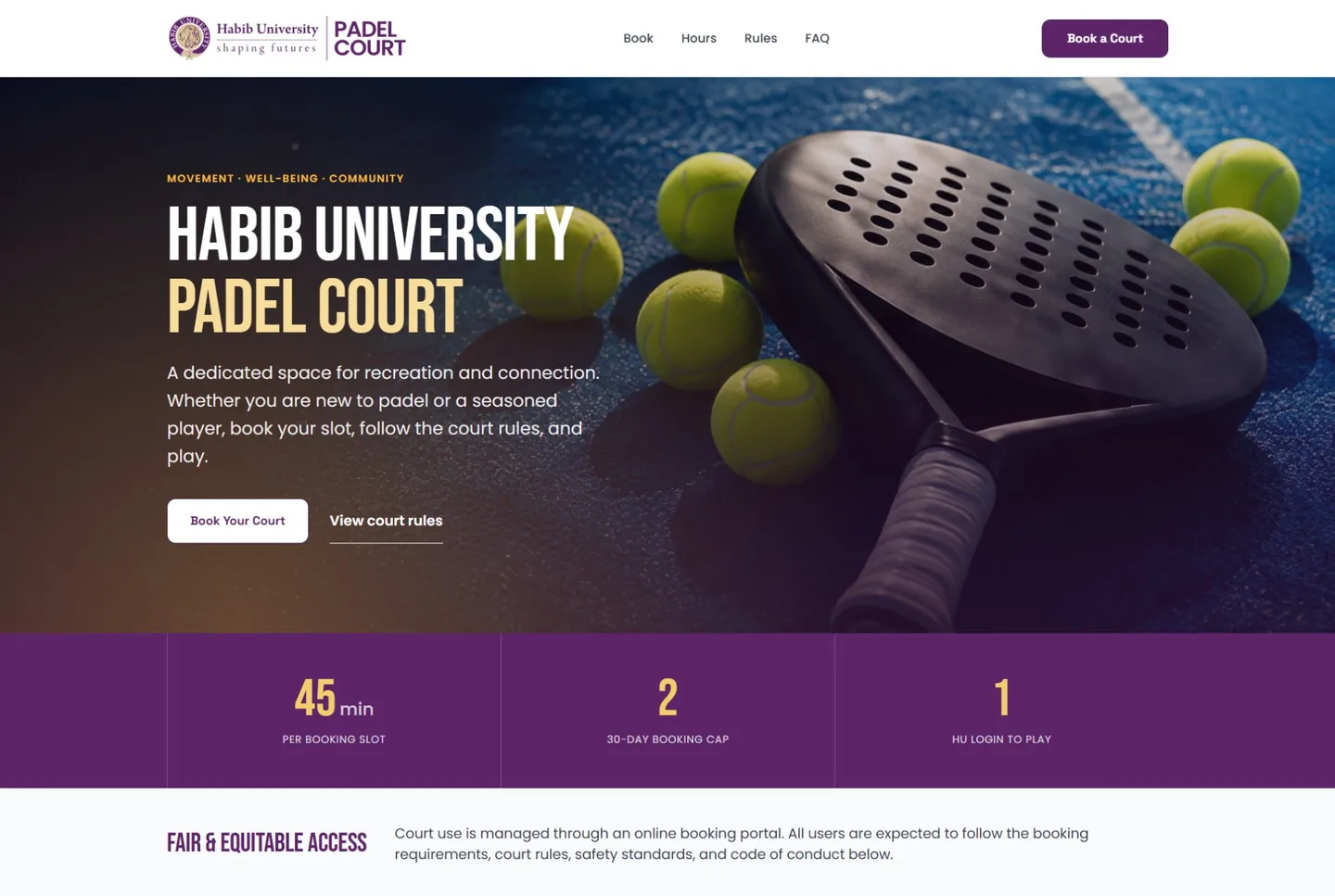
01 — The problem
Hundreds of students, faculty and staff share one padel court, and everyone wants the same few hours. I designed a booking system that makes access fair by rule: who can book, how often, and with whom. Then I built it and shipped it.
02 — The process
03 — Design system
A court booking is a small decision made quickly, so the interface has to be obvious. Warm neutrals keep operations calm, plum carries the university identity, and gold marks the court experience. Players and admins share one system, so a slot looks and behaves the same everywhere.
#512047#6A2F60#BB852A#FBF8F5#1B1319#EBE5DF#7A7177#FFF6E5#197347#E8F7EE#1769AA#EBF5FF#B86113#FFF3E8#C93636#FFF0F0Plum is reserved for the next meaningful action and selected states. Destructive actions stay red and visibly apart.
Book the court. Make it count.
Section heading, 27px
Body text uses Inter at 15px with a 1.5 line height. Muted copy supports, and plum is kept for actions, navigation and selected states.
Roles
Booking status
03 — Roles
Player
Admin
Court staff
Management
Faculty, staff and alumni may book together. Students book with students. The rule is checked while the team is being added, so a booking never fails at the last step.
| Capability | Player | Court staff | Admin | Management |
|---|---|---|---|---|
| Book a slot and add a team | ✓ | |||
| Confirm a teammate invite by email | ✓ | |||
| Approve or reject bookings | ✓ | |||
| Manage bookings, slots, calendar and pre-booking | ✓ | |||
| Scan QR passes at check-in | ✓ | ✓ | ||
| Live monitoring of the court | ✓ | ✓ | ||
| See reports on usage | ✓ | ✓ | ||
| Manage users, audit log and settings | ✓ |
03 — Journey
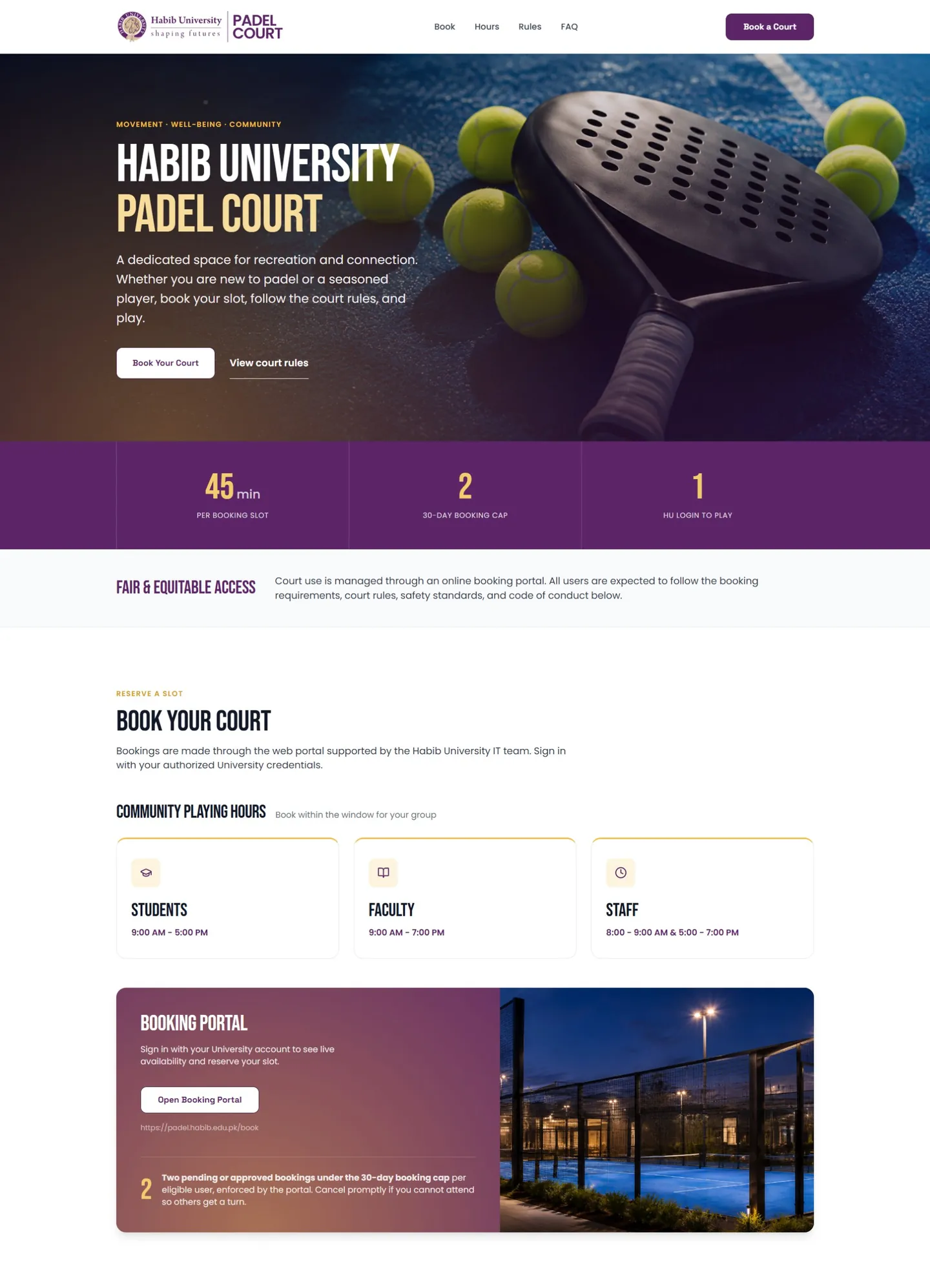
The public page explains the rules before anyone signs in: 45-minute slots, a two-booking cap per 30 days, one university login, and playing hours for students, faculty and staff.
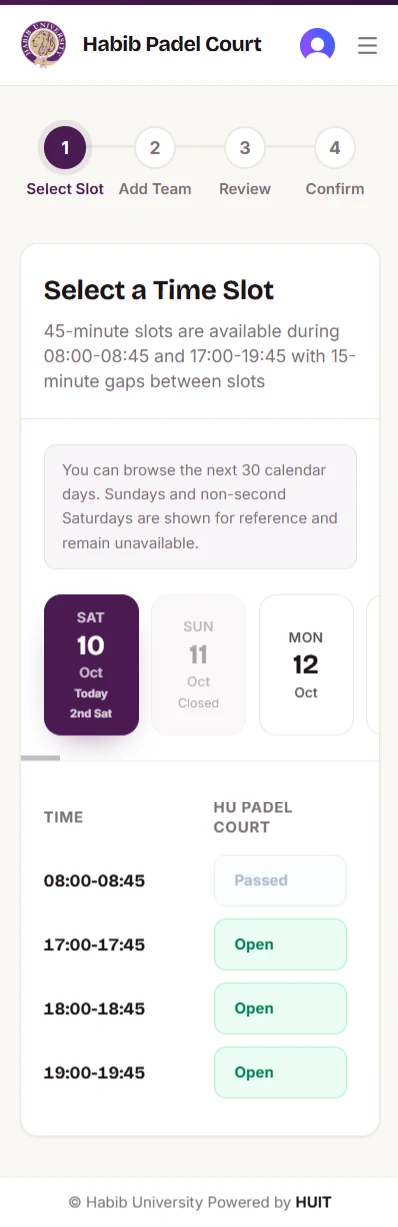
Fixed 45-minute slots with 15-minute gaps. The date strip labels Today and 2nd Sat, closed Sundays stay visible, and passed slots are greyed.
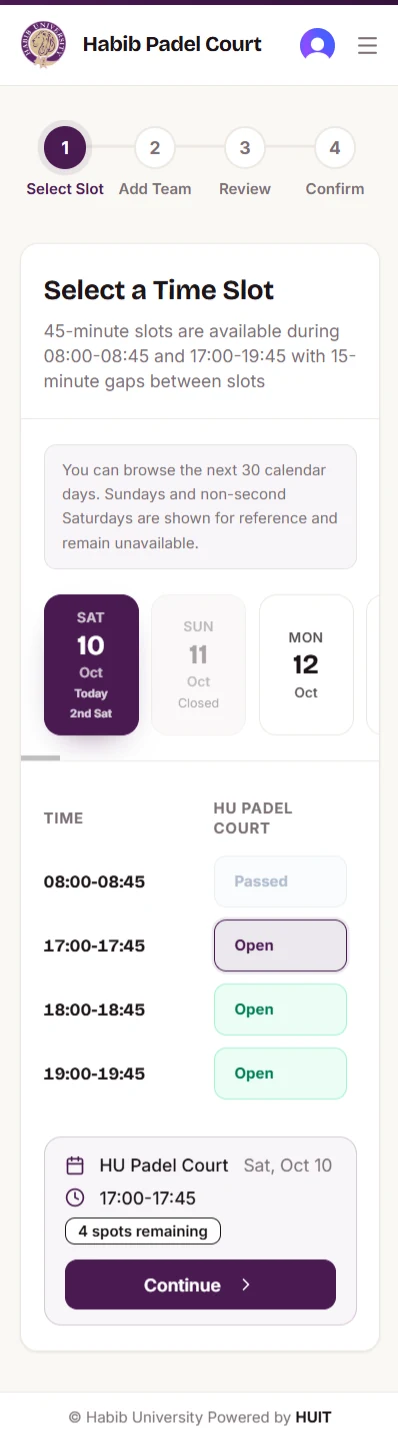
Selecting a slot raises a summary card with the court, the time and spots remaining, and one Continue button.
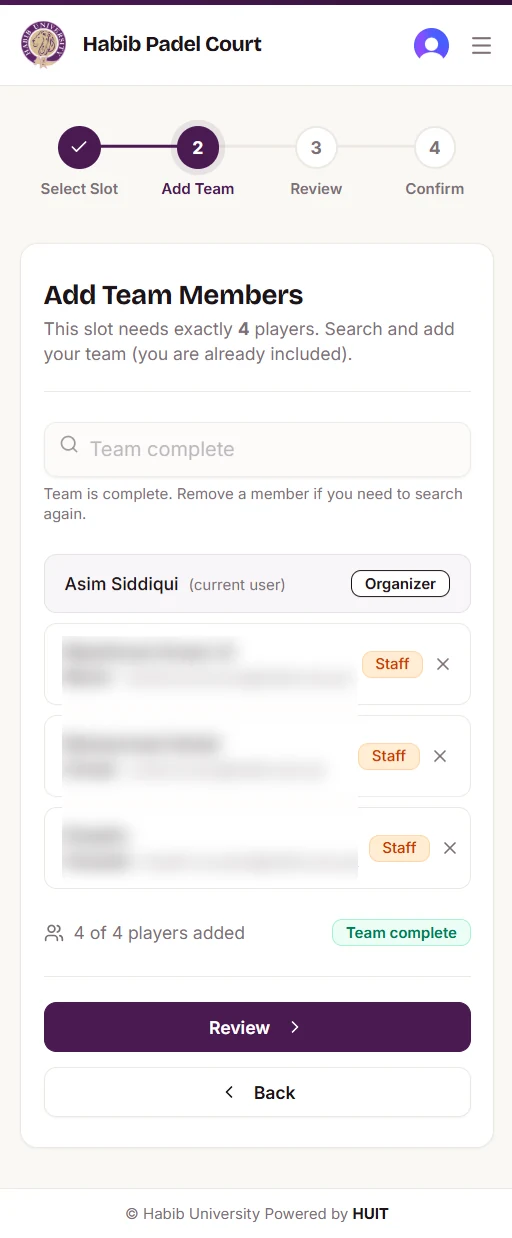
Every slot needs exactly four players, found by searching university people. Search locks once the team is complete, and says why.
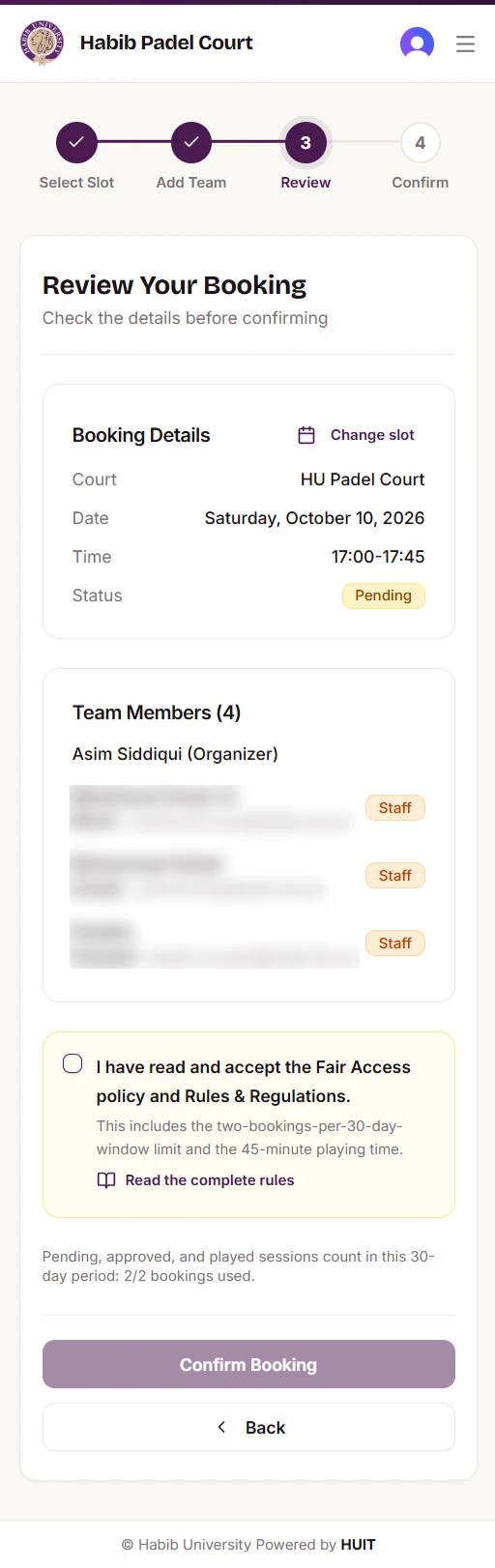
Booking details, the team, and a plain-language consent, with the 30-day booking count in view (2 of 2 used).

Fair Access, Rules and Regulations open as a sheet in ten short sections, with a policy version, and one clear accept button.
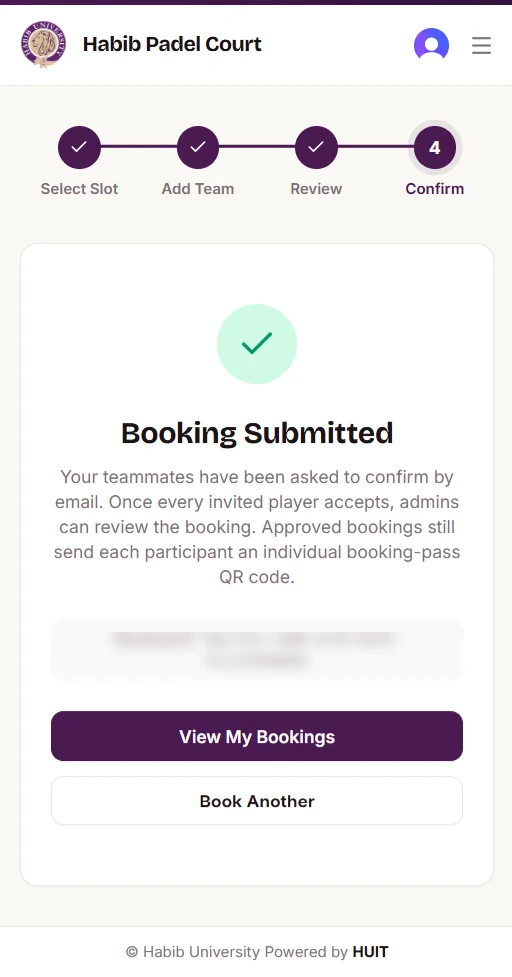
Teammates confirm by email, admins review, and each approved player gets their own QR booking pass.
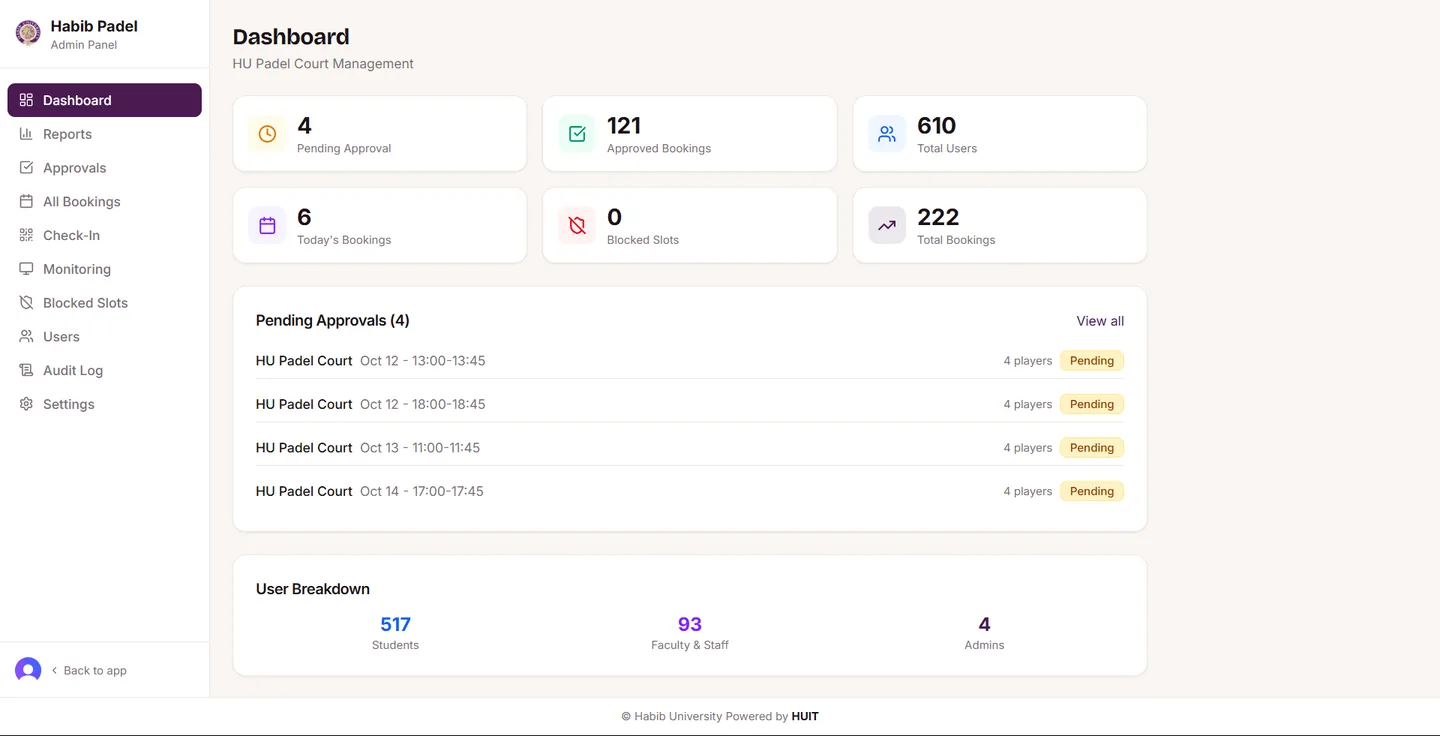
Admins start from what needs a decision: pending approvals, today’s bookings and blocked slots.
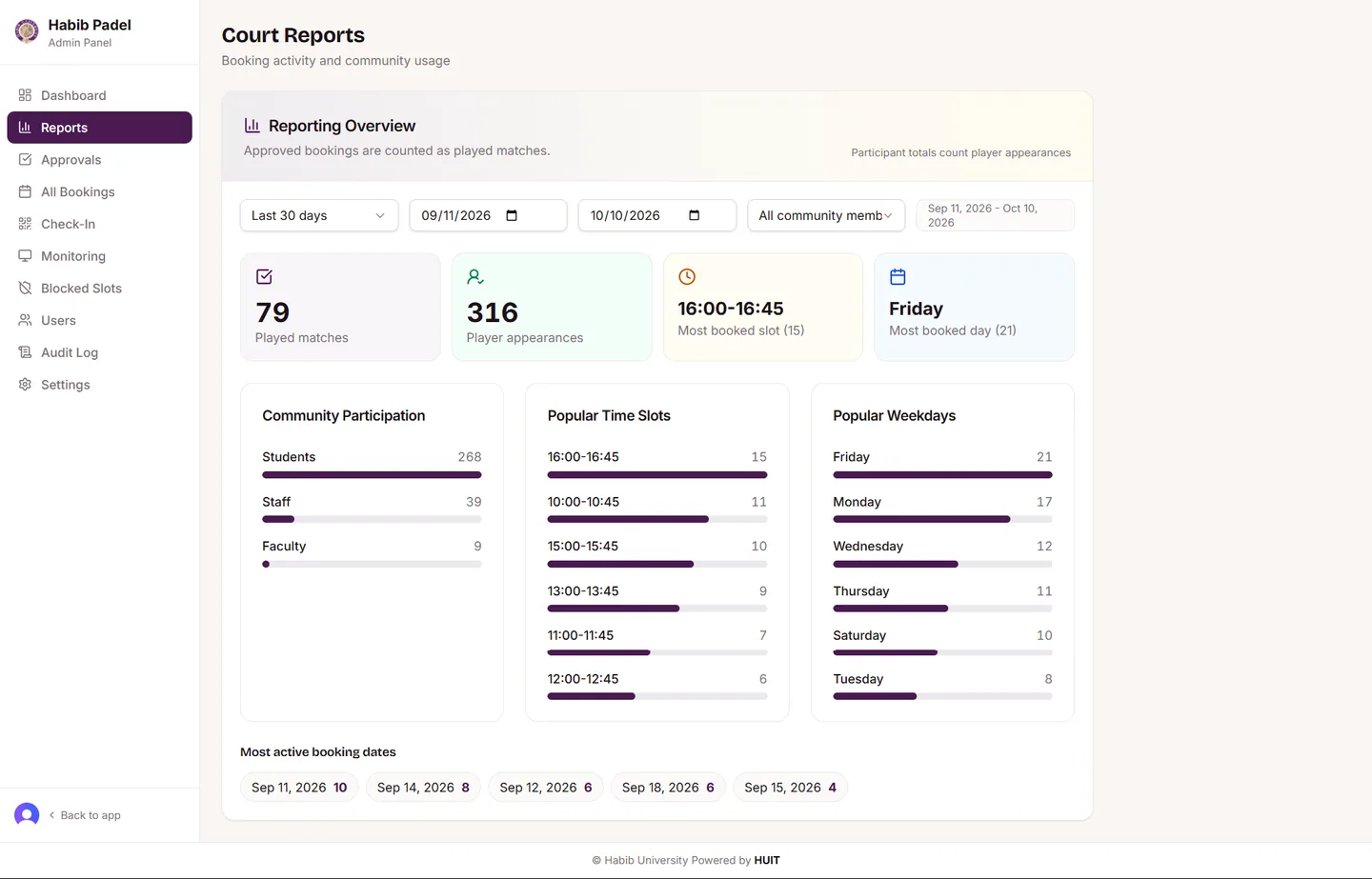
Management sees how the court is used: played matches, popular slots and weekdays, and participation by community.
04 — How it’s built
The whole app is TypeScript with pnpm. The API is described once in OpenAPI, and the typed client and validation schemas for the frontend are generated from it, so screens and server cannot drift apart.